
Patching the October 2026 PHP Vulnerabilities: A Laravel Developer's Guide
What Happened
On 21 October 2026, the PHP security team released fixes for two critical vulnerabilities: CVE-2026-109618 and CVE-2026-109619. Both are rated 9.2 under CVSS v4.0.
Laravel's own response post describes them as extremely serious and affecting every PHP application. Per the Laravel Forge advisory, they affect PHP versions dating back to 2004, so every version you are likely to have installed is vulnerable until patched.
I'm not going to speculate on exploit details here. The official announcement on the PHP news archive is the place for that. This article is about the practical part: getting patched.
The Fixed Versions
| PHP Version | Fixed Version |
|---|---|
| 8.5 | 8.5.12 |
| 8.4 | 8.4.27 |
| 8.3 | 8.3.36 |
| 8.2 | 8.2.35 |
| 8.1 and earlier | Not patched |
If you are on PHP 8.1 or earlier, there is no fix coming. Those versions are end of life, and the PHP team will not be issuing patches. The only remedy is to upgrade to a supported version, ideally 8.3 or newer. Vapor users on PHP 7 should do the same, immediately.
A Note on the State of Things
At the time of writing, the Laravel ecosystem is under heavy load. Everybody is trying to patch at once, and Forge in particular has been struggling, with Cloudflare 502 errors appearing in the dashboard. Laravel's engineers have been scaling capacity, and the errors were starting to decrease and the system becoming more stable as I wrote this. If you hit a 502, wait a moment and retry, or use the SSH route below, which doesn't depend on the dashboard at all.
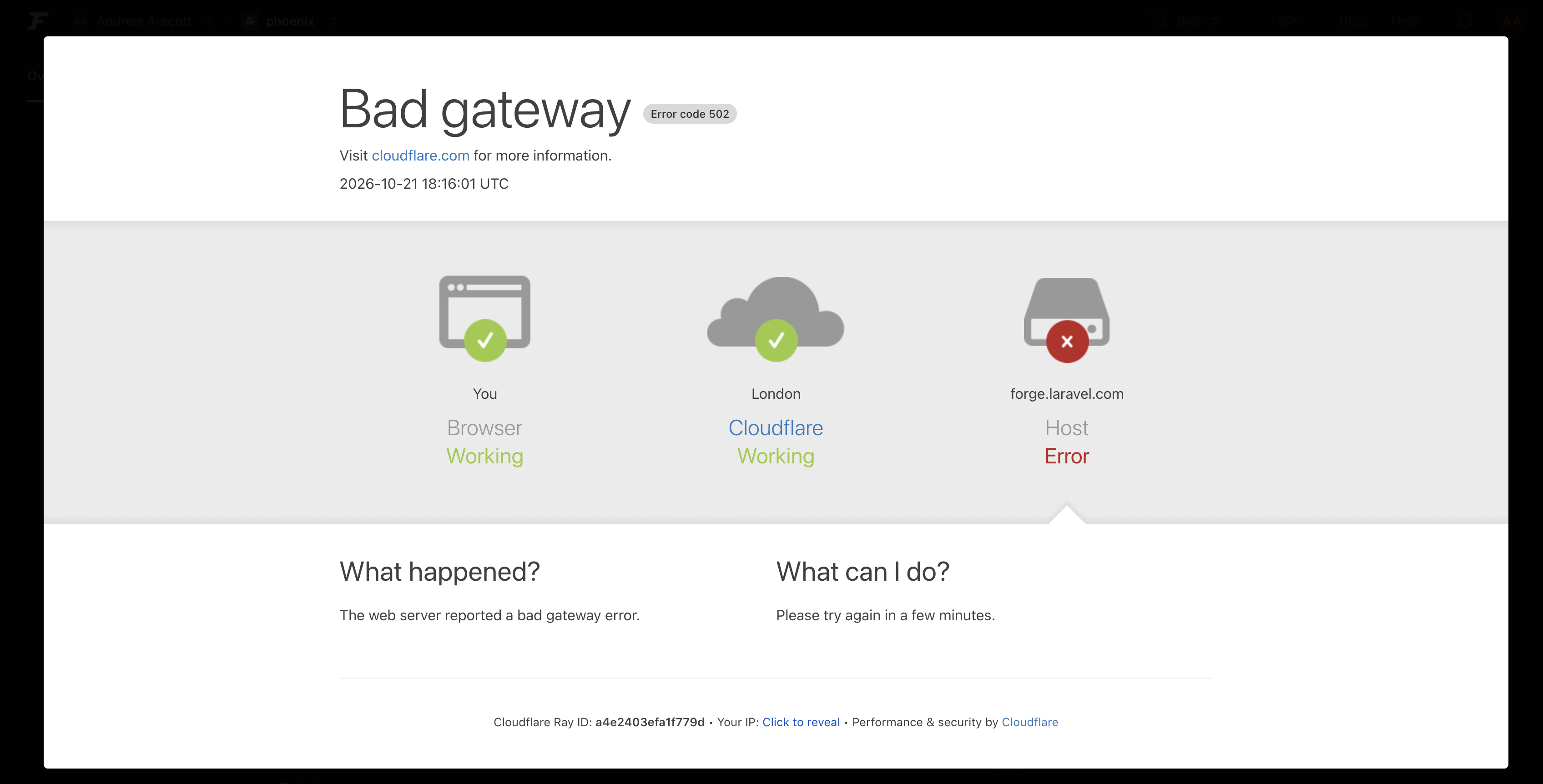
Also worth knowing: the Laravel team noted earlier in the day that the upstream Ubuntu PPAs had not yet received the patched packages, so updating at that point would not have given you a fixed version. The Forge advisory now lists the fixed versions, but always verify the version after updating rather than assuming it worked.
Patching on Laravel Forge
Forge's automatic security updates do not patch PHP. Forge installs PHP from a dedicated package repository, and Ubuntu's unattended upgrades only apply updates from Ubuntu's own security repository. You have to update each server yourself.
1. Check Your Current Version
SSH into the server and check each PHP version in use (swap 8.4 as needed):
php8.4 -v
To list everything installed:
ls /etc/php
2. Update PHP
Via the dashboard: open the server, go to the PHP tab, open the dropdown for the version you want to patch, and click Update PHP X.X. Repeat for every installed version, including ones none of your sites currently use.
Via SSH (useful when the dashboard is struggling): first make sure the package source is configured.
ls /etc/apt/sources.list.d/
You should see php.list on Ubuntu 26.04, or ondrej-php.list on 24.04 and 22.04. If it's missing, use the dashboard option, which reconfigures the source for you.
Then refresh the package lists and check the candidate version:
sudo apt-get update
apt-cache policy php8.4-fpm
The Candidate should match the fixed version in the table above. If it doesn't, the patched packages haven't reached the repository yet. Wait and try again.
Finally, upgrade every installed package for that PHP version:
sudo apt-get install --only-upgrade -y \
  -o Dpkg::Options::="--force-confold" \
  $(dpkg -l 'php8.4*' | awk '/^ii/ {print $2}')
--only-upgrade stops new packages being installed, and --force-confold keeps your existing php.ini and PHP-FPM configuration. Repeat for each PHP version on the box.
Updating restarts PHP-FPM for that version, so expect a few seconds of downtime on affected sites.
If you manage lots of servers, you can wrap the SSH commands in a Forge Recipe that runs as root and run it across all of them, or trigger updates through the Forge API.
3. Restart Long-Running Processes
PHP-FPM restarts automatically, but anything started from the CLI keeps running the old PHP until it is restarted. That means queue workers, Horizon, Octane, Reverb and any other background processes. In each affected application:
php artisan queue:restart
php artisan horizon:terminate
php artisan octane:reload
If PHP-FPM didn't restart on its own, use Restart PHP X.X from the server's actions dropdown.
4. Verify
php8.4 -v
php-fpm8.4 -v
Both should report the fixed version. The second matters, because it confirms FPM is running the patched binary too.
If you can't update a server promptly, Laravel's advice is to power it down until you can.
The Rest of the Laravel Family
- Laravel Cloud: deployments were temporarily paused while the platform was patched. Running applications are being patched automatically by swapping in the updated PHP version, so no redeployment is required. Regions were being rolled out one by one. The Node.js security release is also being applied to base images.
- Vapor: patched native runtimes are available. Unpatched apps on PHP 8.3+ with the native runtime are redeployed automatically. If you use a custom or Docker image runtime, rebuild the image against the patched PHP and redeploy yourself.
- Envoyer: it was down for scheduled maintenance while its own servers were upgraded. Your sites keep running, but you can't deploy through Envoyer in the meantime, so you may need another route if you need to ship urgently.
- Node.js: if your Forge servers run Node.js, there is a separate security release. You need to update that yourself on each server.
Checking Your PHP Version on Vapor
Vapor patches native runtimes for you, but it's worth confirming rather than assuming. Laravel's about command reports the PHP version the application is actually running, and you can run it against your deployed environment with the Vapor CLI:
vapor command production --command="about --only=environment"
Swap production for your environment name. You can also do the same from the Commands tab in the Vapor dashboard by running php artisan about --only=environment, which gives you output like this:
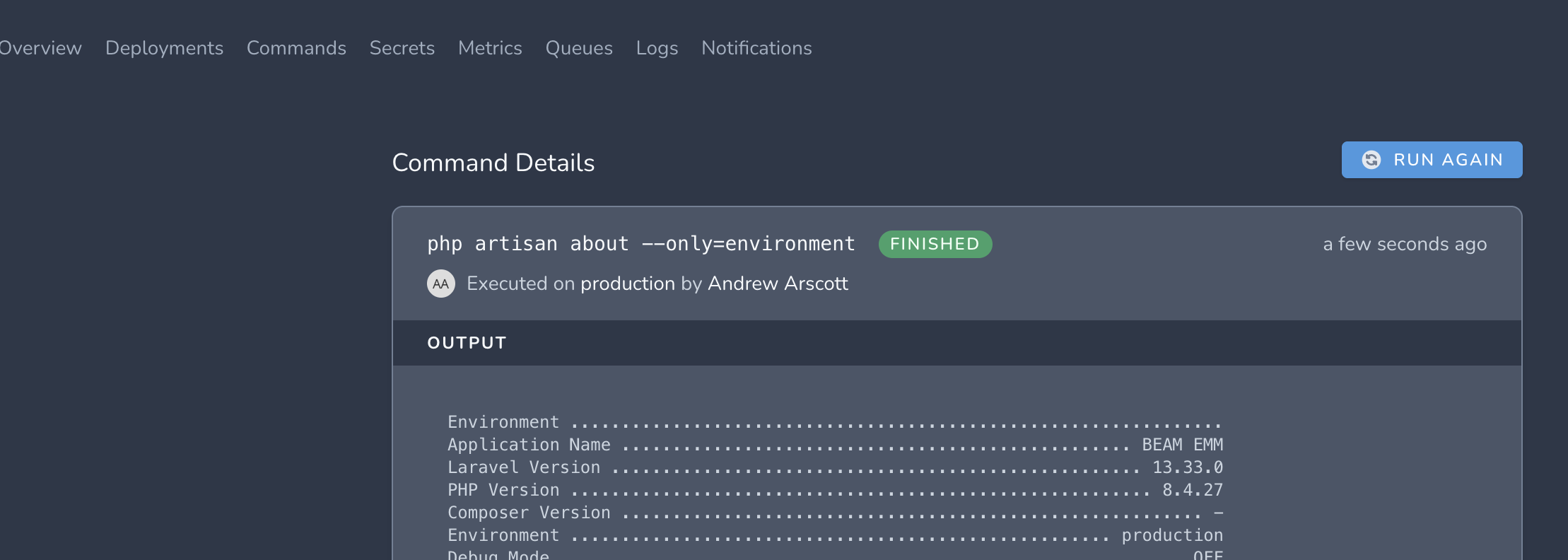
The PHP Version line should match one of the fixed versions from the table above. In the screenshot it reads 8.4.27, which is the patched 8.4 release. If you're on a custom or Docker image runtime and it still shows an older version, rebuild your image and redeploy.
Don't Forget Everything Else
A few things that are easy to miss:
- Docker images: rebuild and redeploy anything based on a PHP base image once patched tags are available.
- Local development: your Herd, Valet, Sail or Homebrew PHP is also vulnerable. It's lower risk, but worth updating.
- Servers outside Forge: shared hosting, self-managed VPSs and CI runners all need the same treatment. Check with your provider if you don't control PHP yourself.
- Old PHP versions on forgotten boxes: it's a good day to audit which servers are still on 8.1 or earlier.
Need Help With Older PHP Versions?
If you're running PHP 8.1 or earlier, there's no patch to install, which means the fix is an upgrade, and upgrades across several major versions can be a real project. Old Laravel releases, abandoned packages and code that relies on removed behaviour all tend to surface along the way.
If you're in that position, or you simply can't get a server patched, get in touch. Helping teams move legacy PHP and Laravel applications onto supported versions safely is exactly the kind of work I do.
Summary
- Find every place you run PHP.
- Update to 8.5.12, 8.4.27, 8.3.36 or 8.2.35, or upgrade off 8.1 and earlier.
- Restart queue workers, Horizon, Octane and anything else long-running.
- Verify with
php -vandphp-fpm -v.
The platform wobbles are temporary. The vulnerabilities are not, so patch now and keep an eye on the Laravel blog post and the Forge advisory for updates.
Have thoughts on this? Get in touch.